Run the whole club.
Not the clipboard.
Dink+ Facility is the back office for your courts. Tournaments with divisions, ladder leagues, inter-club play, and your entire membership in one place. Set it up on a laptop, run it from the desk, let players follow along on their phones.
Set it up once, it runs itself.
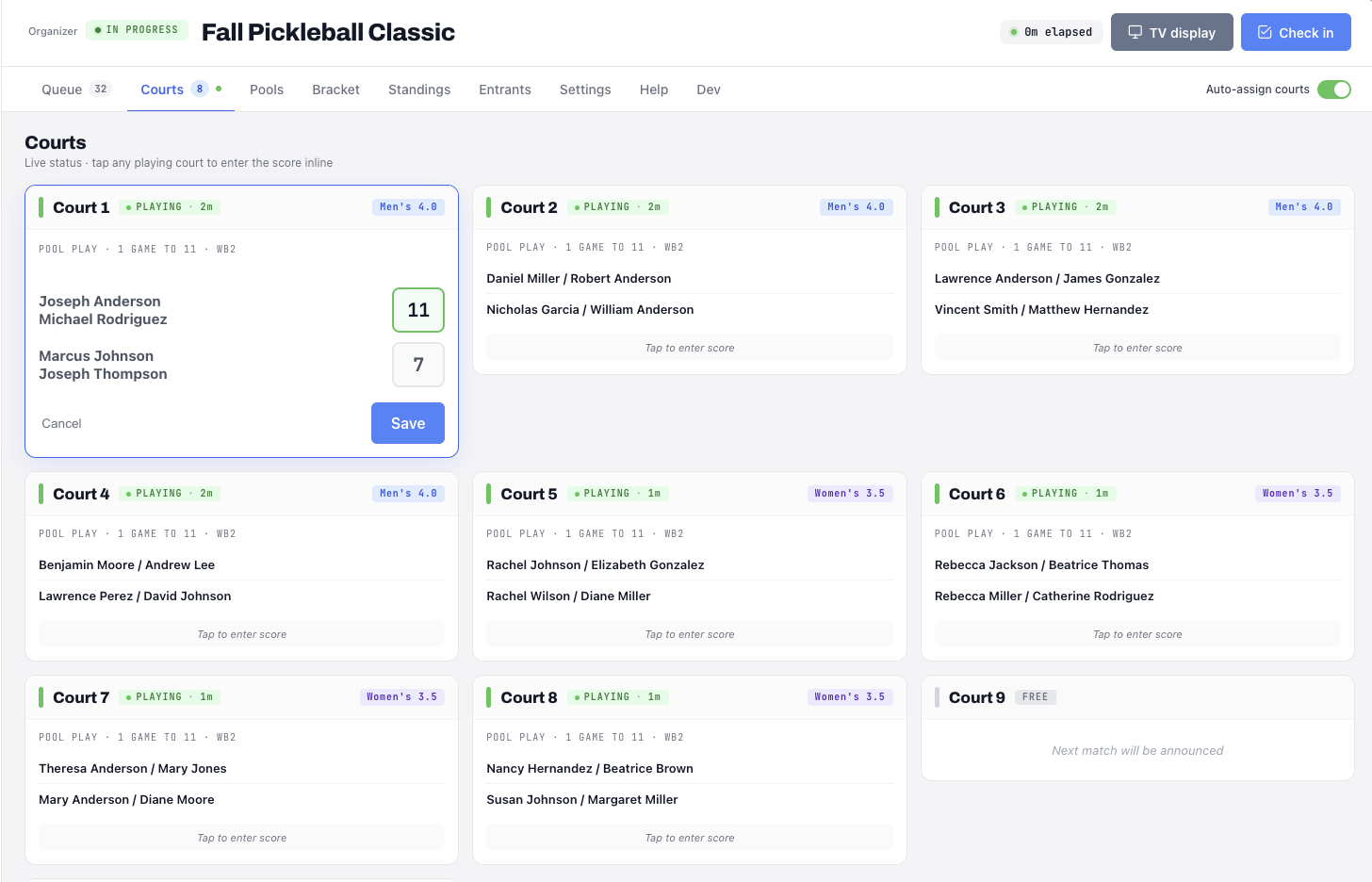
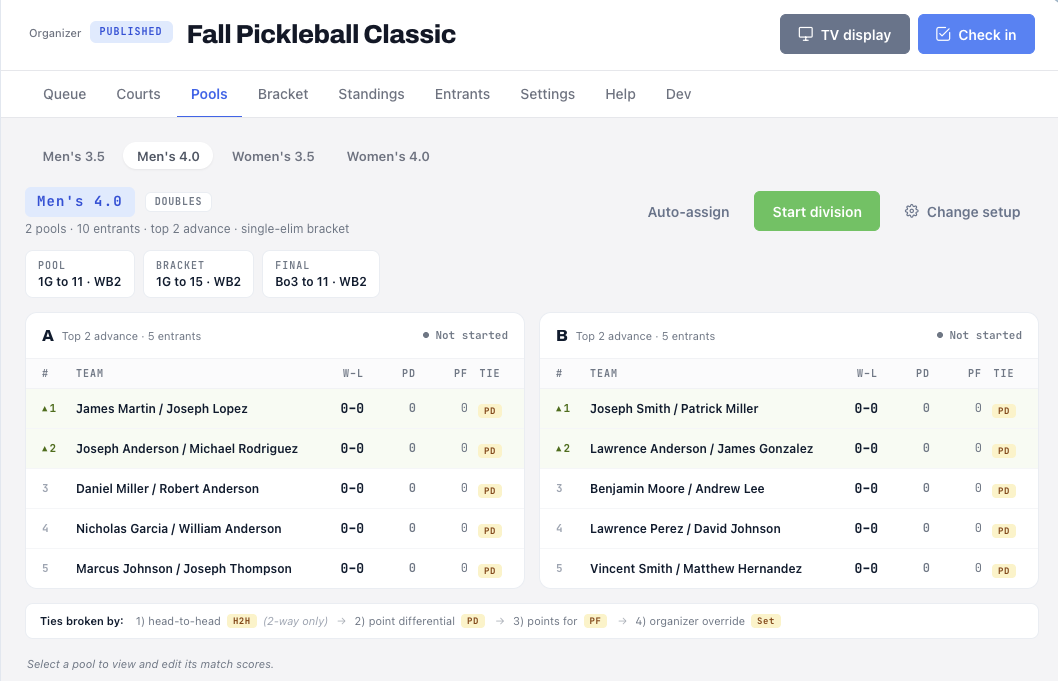
Build a tournament division by division, seed the pools, and check entrants in from the desk as they arrive. The queue auto-assigns matches to open courts, and scores entered at the desk update standings and the queue on their own.
- Divisions, pools and seeding built ahead of time
- Live check-in and an auto-assign court queue
- Courtside scoring, a TV display, and DUPR export
A season that keeps score.
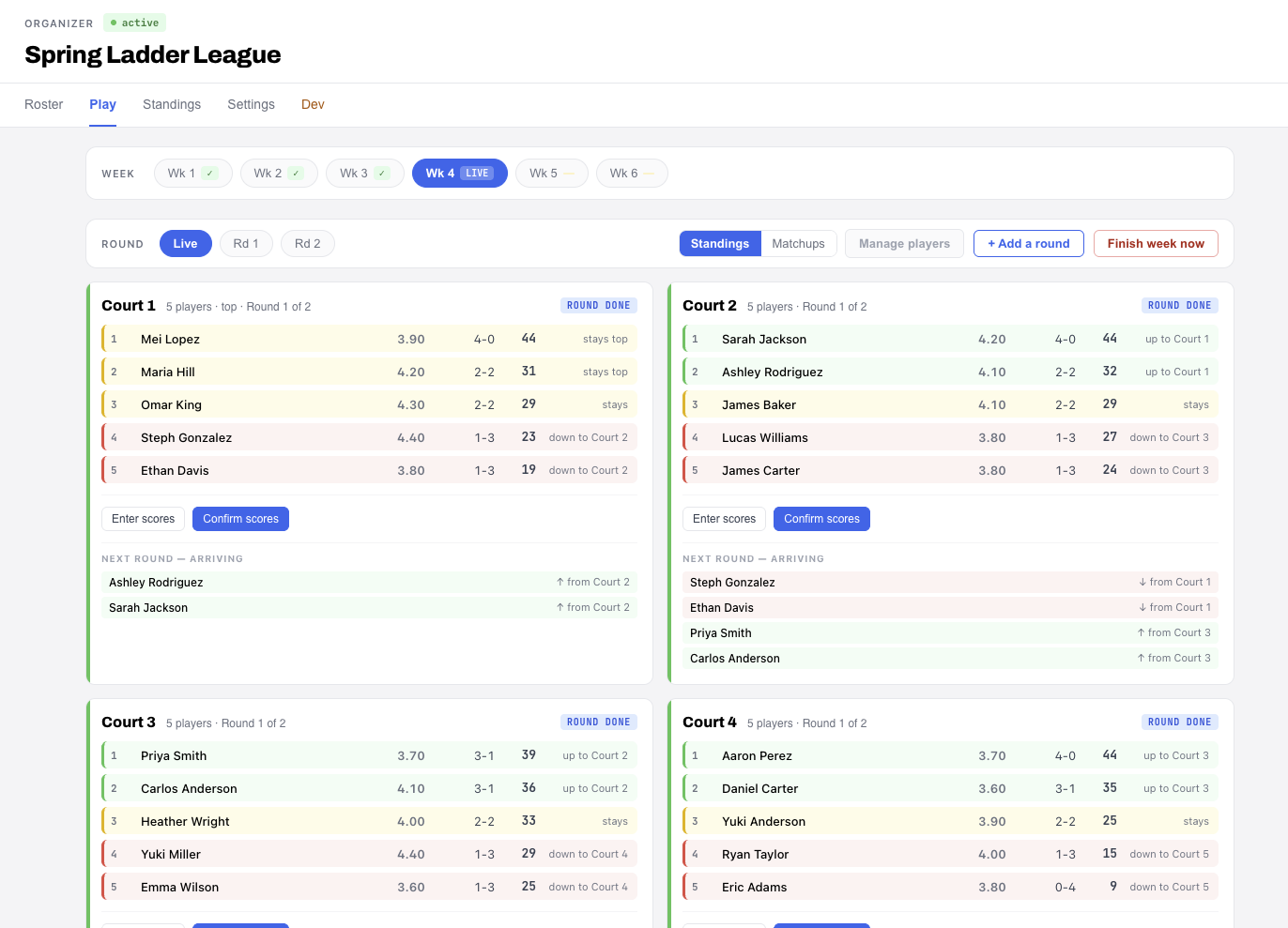
Set a start date and a number of weeks, and Dink+ runs the season. Players check in each week, play their rounds on assigned courts, and move up or down between courts on their record, with next round’s arrivals shown before scores are confirmed.
- Multi-week seasons with a week-by-week dashboard
- Automatic up and down court movement between rounds
- Season standings that update as scores land
Your club versus theirs.
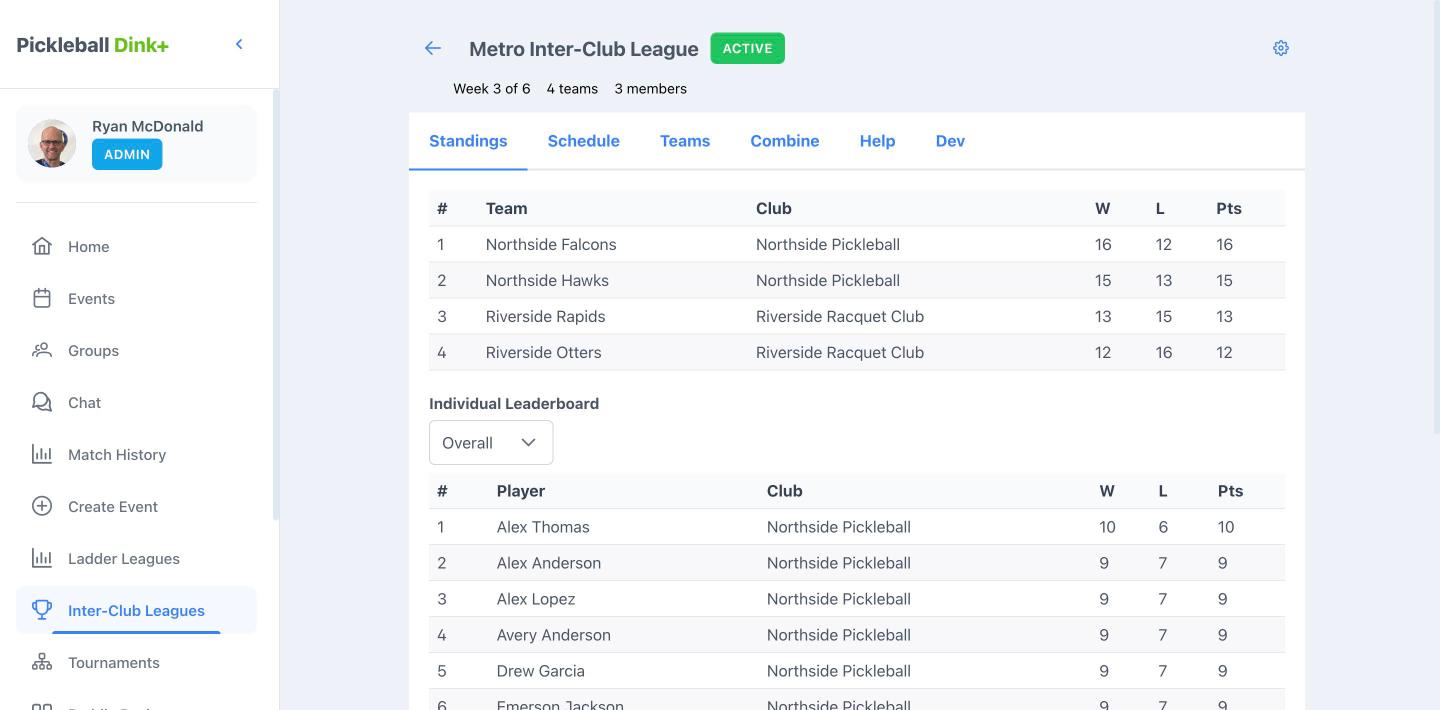
Put teams from different clubs into one league and let every club see the same weekly schedule and the same results. Each week’s matchup is hosted at a home facility, with check-in, court assignment and a TV display for that match night.
- Teams and rosters that span multiple clubs, in one league
- Weekly fixtures hosted at a home facility, with check-in, courts and a TV display
- Team standings and an individual leaderboard, shared across clubs
Open play, without the rack.
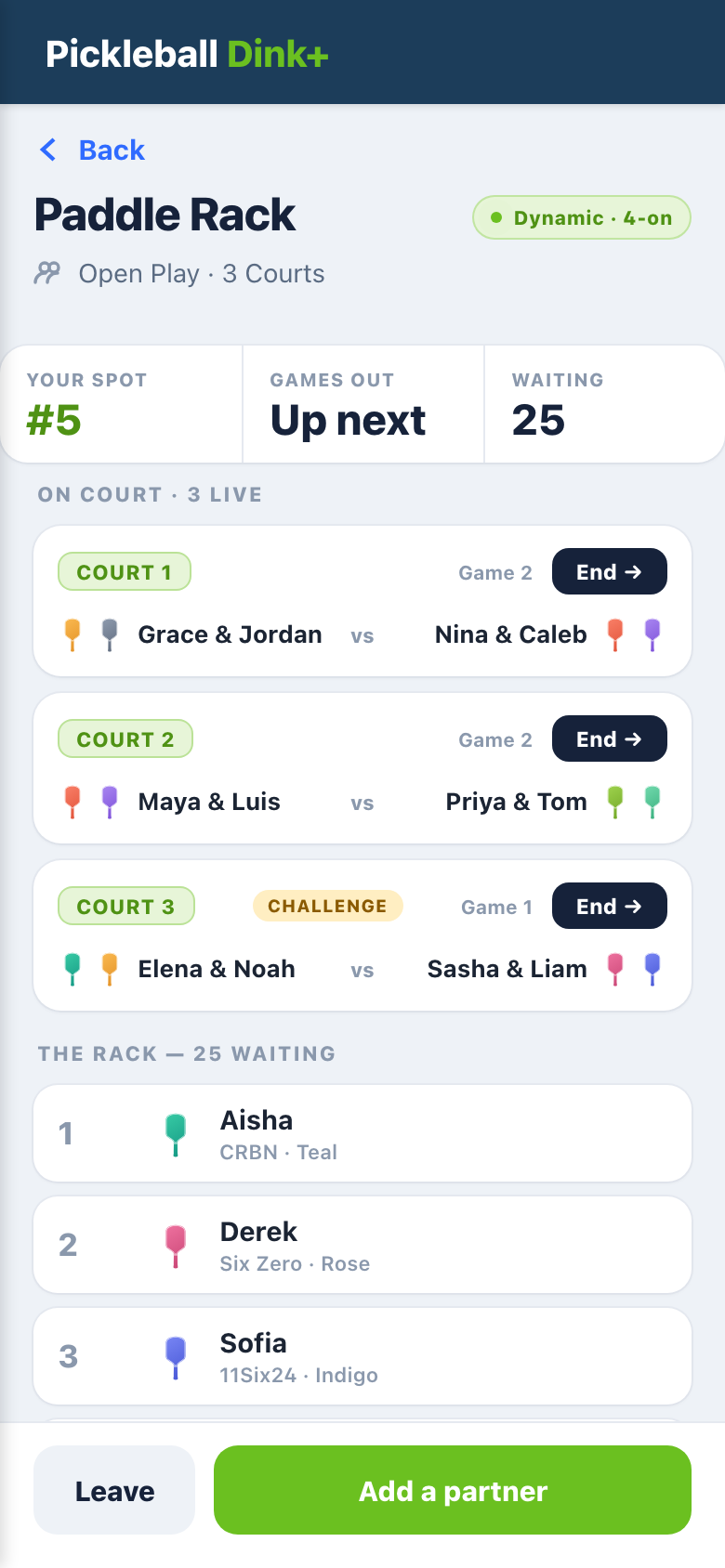
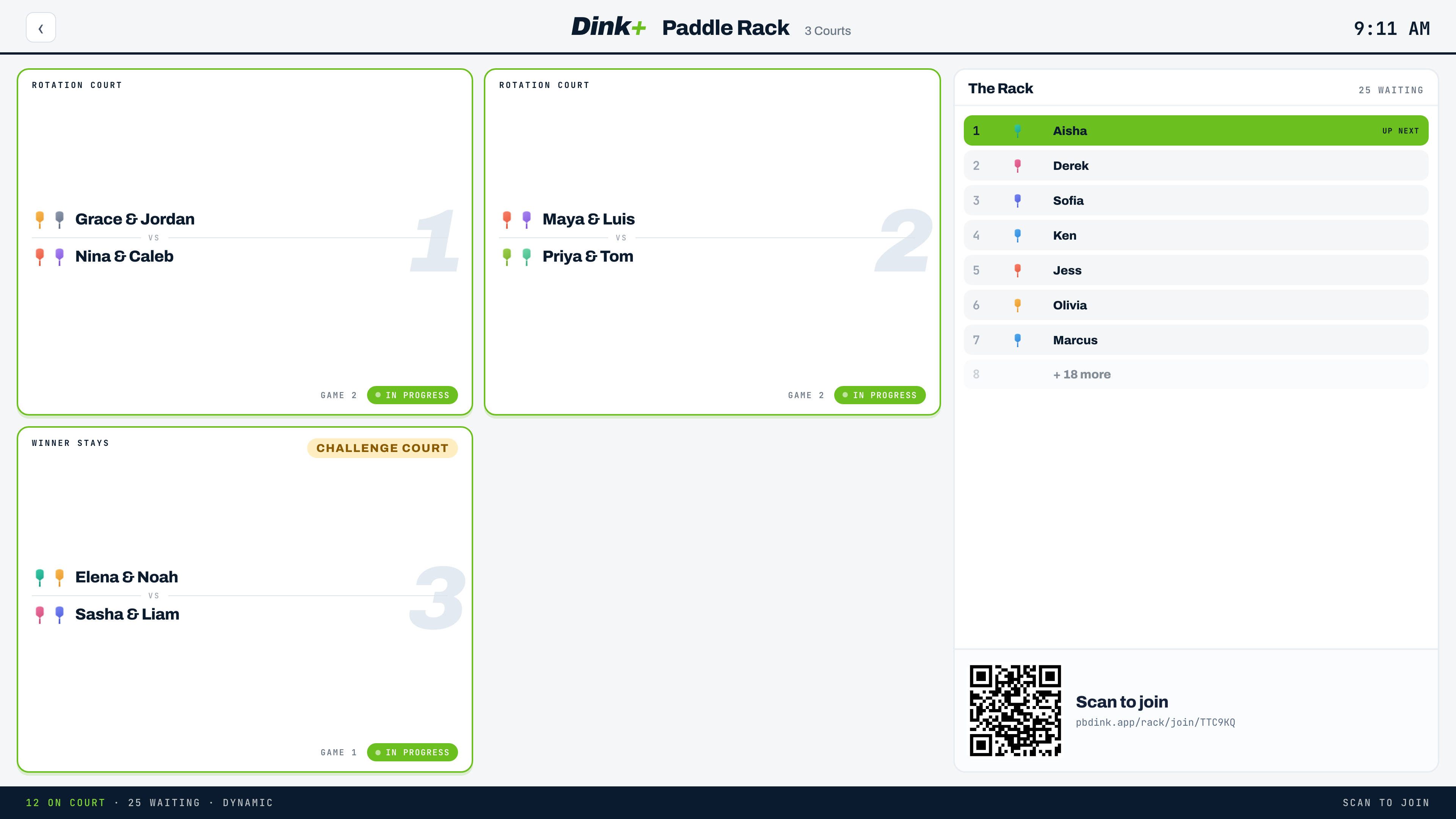
Launch a saved setup and players scan a QR code to join, no account needed. They set up a paddle color and brand once, and the rotation fills your courts automatically, with a challenge court where the winner stays on. Everyone can see the rack and the live courts on the TV display, and their own spot in line on their phone.
- QR join, guest-friendly, dynamic rotation modes
- Challenge court, saved setups, and a TV display for the room
- Players see their spot, add a partner, and can get a text when they’re up
Collect the entry fee where they register.
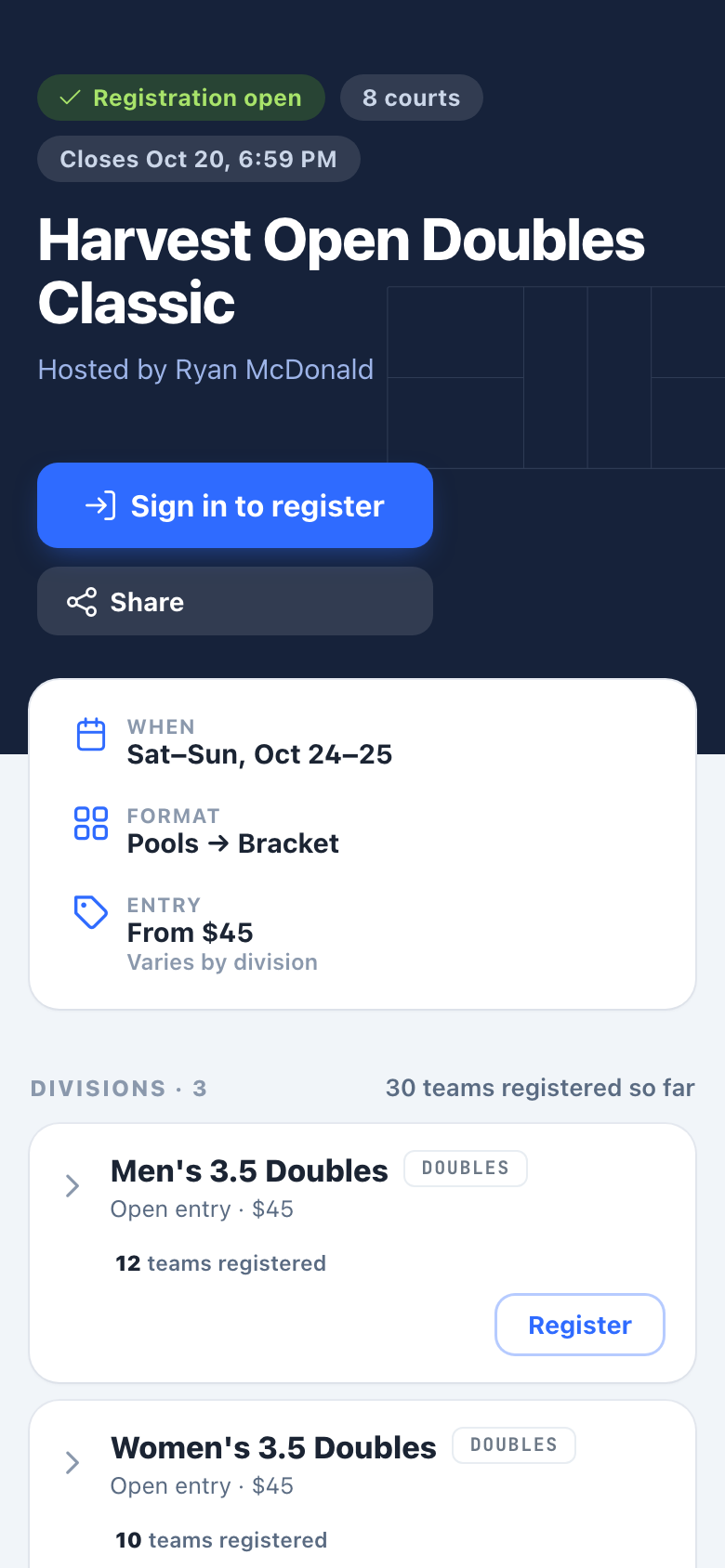
Players register from your public tournament page, see the entry fee for each division and how many teams are already in, and pay through Stripe on the spot, plus a small platform fee. Registration closes at the time you set, and signing in to register creates their free account.
- Public signup page with a registration window and closing time
- Per-division entry fees, with live team counts as spots fill
- Payment collected through Stripe at registration, on any device
Everyone in, under your name.
Free covers groups up to 15 members and Pro extends that to 64. Facility drops the cap and adds the club-level tools.
Unlimited members
No member cap on your groups. Bring the whole membership across and organize them into as many groups and teams as you need.
Branded group cards
Set your facility name and color once. Your groups carry your branding wherever players see them in the app.
Staff access
Add staff to your facility so co-organizers can run events, tournaments, and leagues without sharing one login.
Facility questions.
What does the Facility tier include?
Can I run a tournament from a laptop?
Can results go to DUPR?
When can I use the Virtual Paddle Rack and entry fees?
Do my staff each need their own account?
Booking courts as well? Schedule Courts handles court reservations, memberships and court fees for pickleball and tennis facilities.
Want it running at your club?
Tell us about your facility and we will get you set up on the Facility tier.