Run the whole tournament day
from one screen.
Dink+ runs tournaments division by division, from the draw to the trophy. Build the pools, check entrants in, let the queue assign courts, score every match courtside, and put it all on a screen the whole room can see.
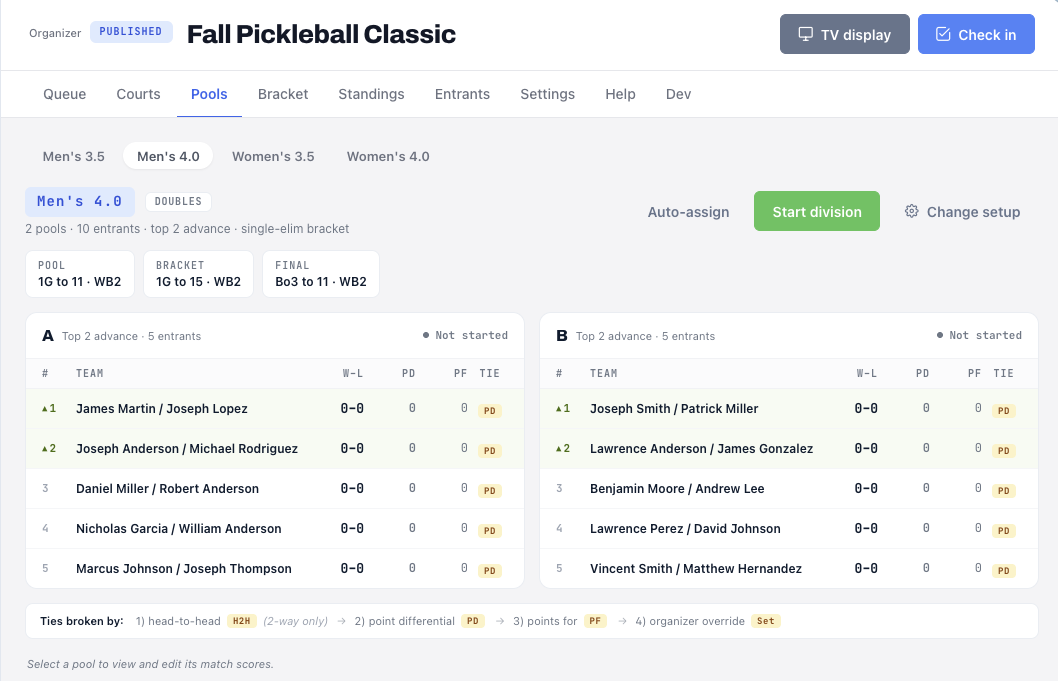
Divisions, pools, done by dinner.
Build a tournament division by division, set the format and seed the entrants. Pools carry their own tiebreak rules and feed straight into a bracket.
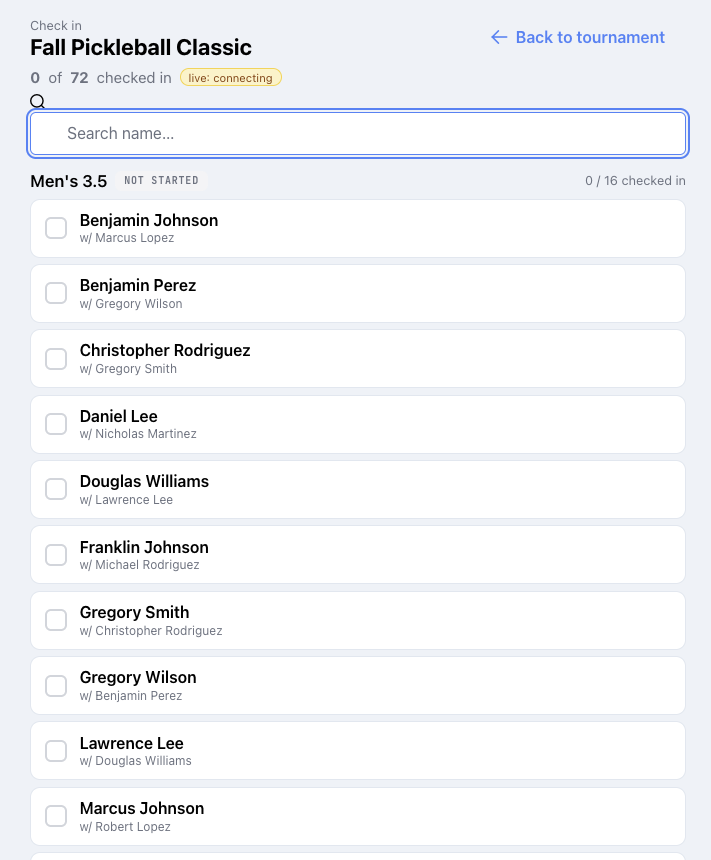
Entrants arrive, the list keeps up.
Check in 72 entrants by division right from the desk, partners and all, with the list updating live as people walk through the door.
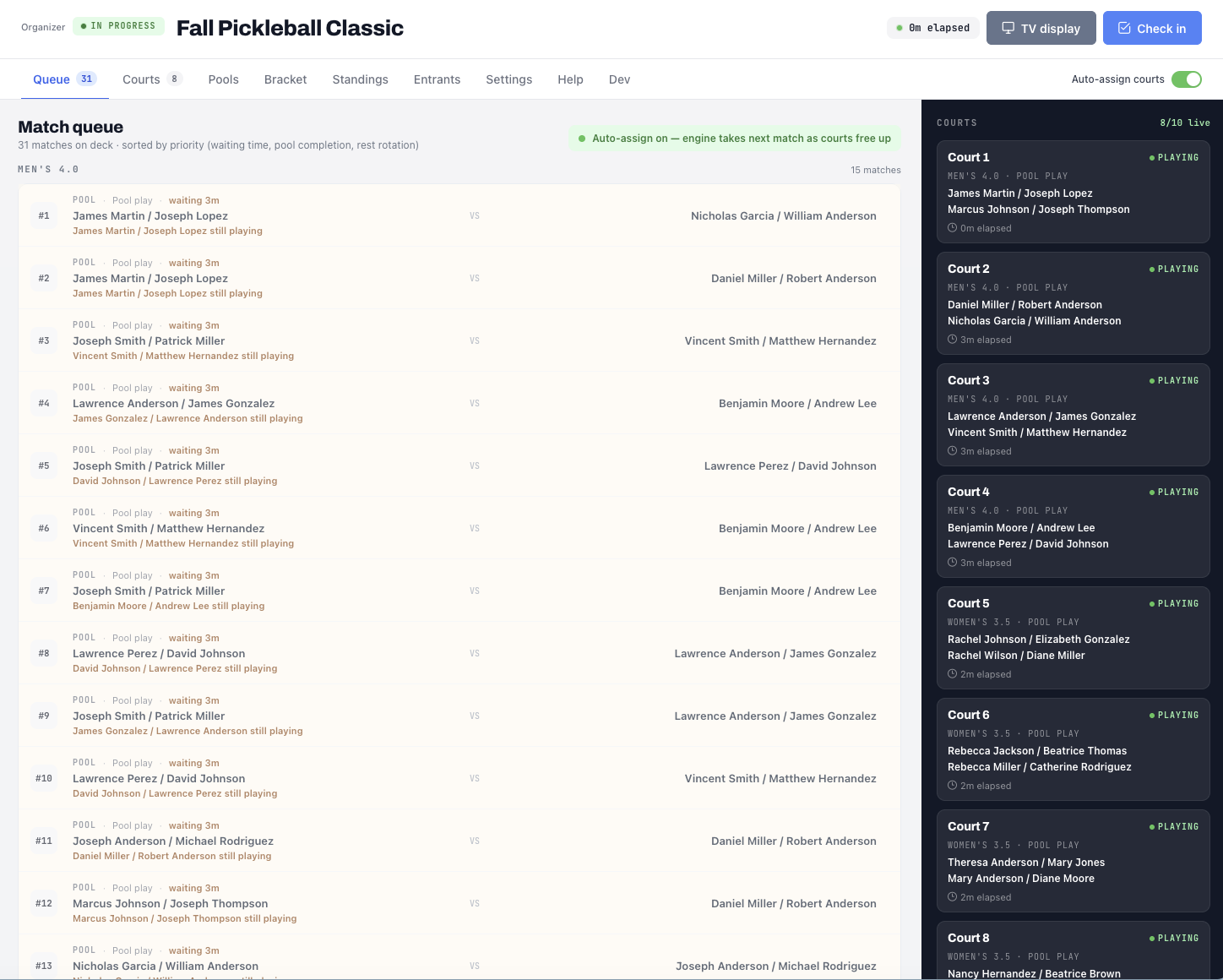
Matches sorted, courts assigned.
The queue ranks matches by waiting time, pool completion and rest rotation, then auto-assigns courts as they free up, so nobody is running a whiteboard.
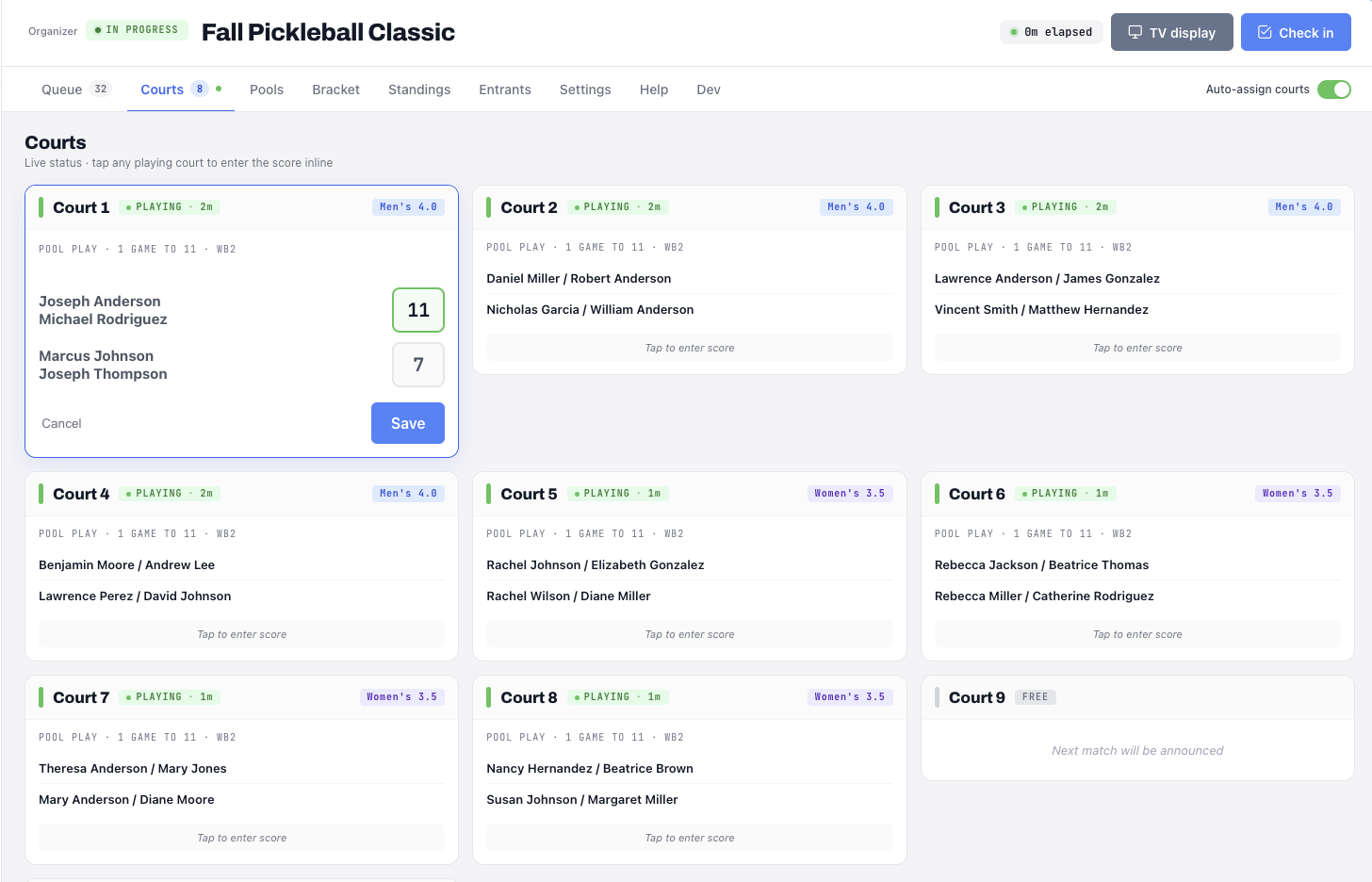
Tap the court, enter the score.
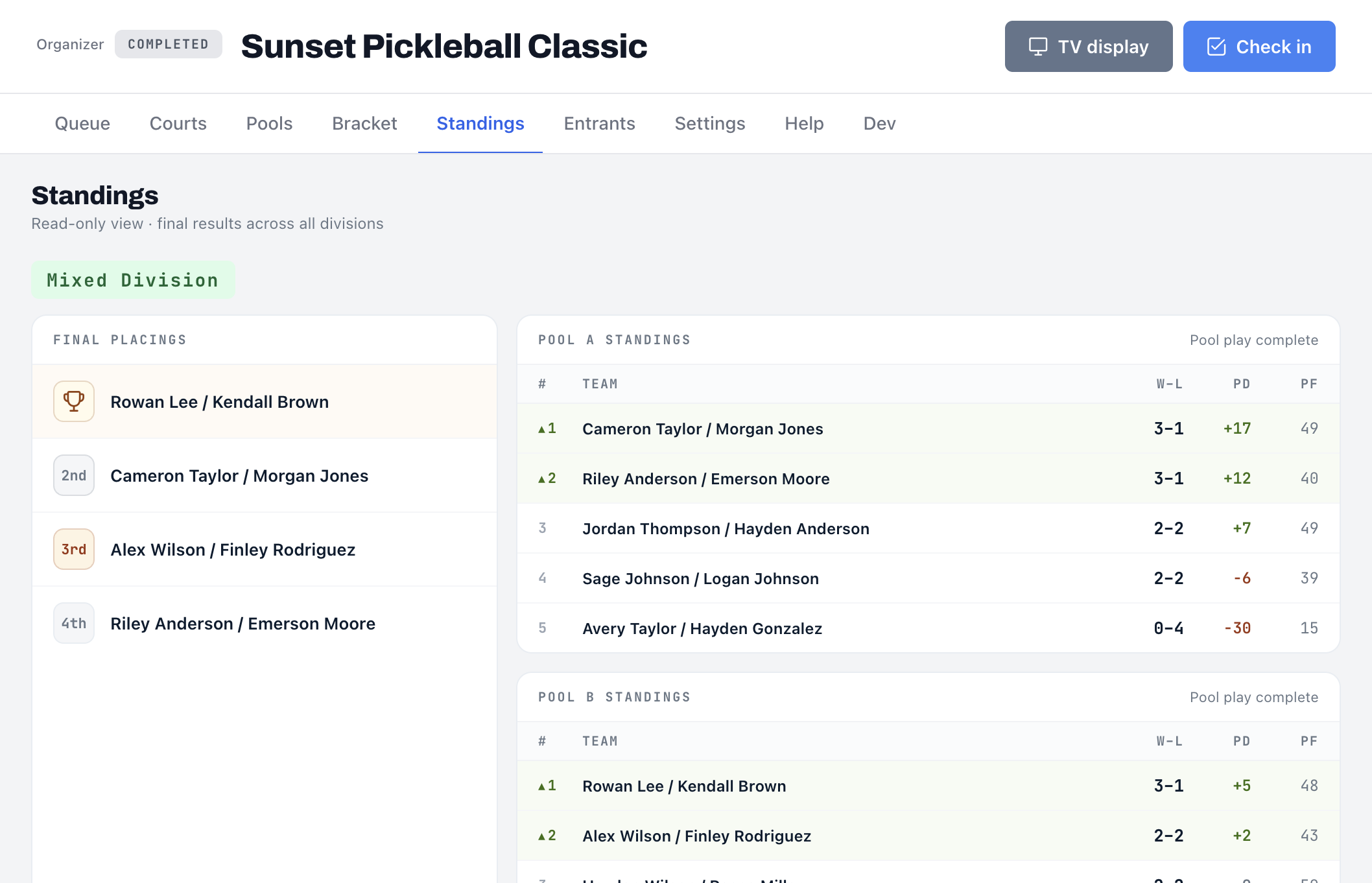
Every live court is one tap away from the desk. Open it, enter the score, save, and standings and the queue update on their own.
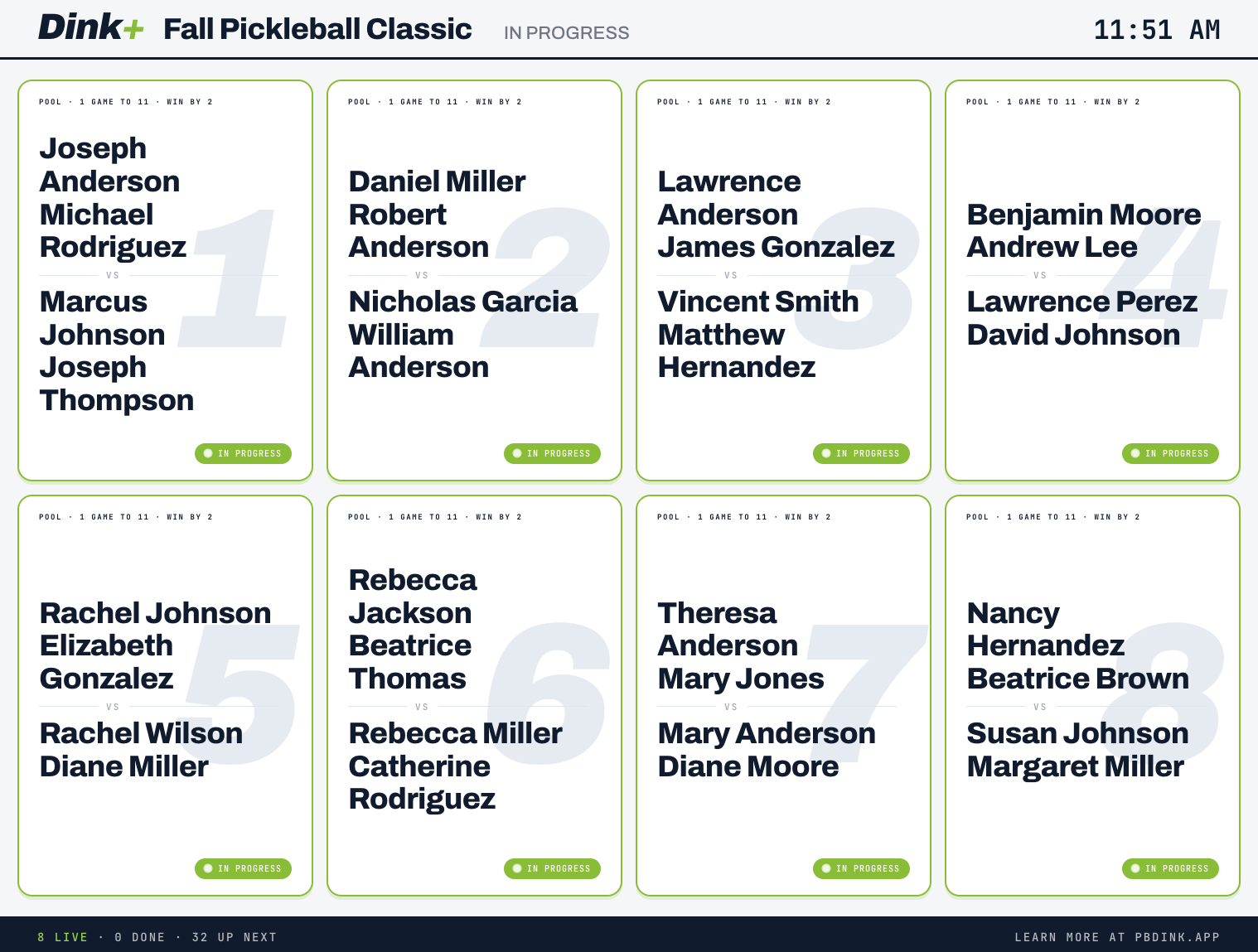
One screen, everyone is watching.
The tournament TV display shows every court, who is live, who is done and who is up next, so players check the screen instead of asking you what court they are on.
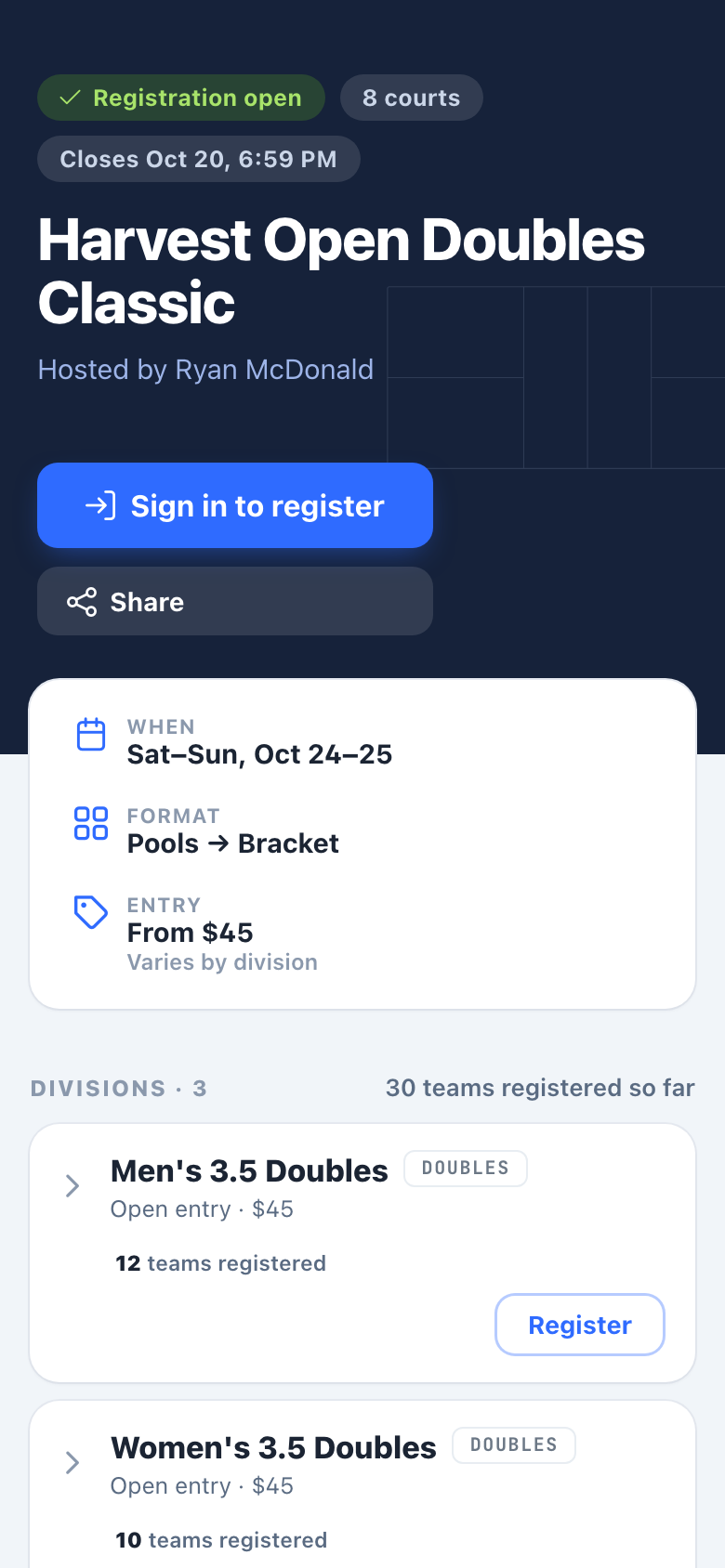
Sign up from the link, partner and all.
Players open your share link or QR code, pick a division, add a partner by name or Dink+ account, and register in under a minute. The tournament then shows up on their Home screen.
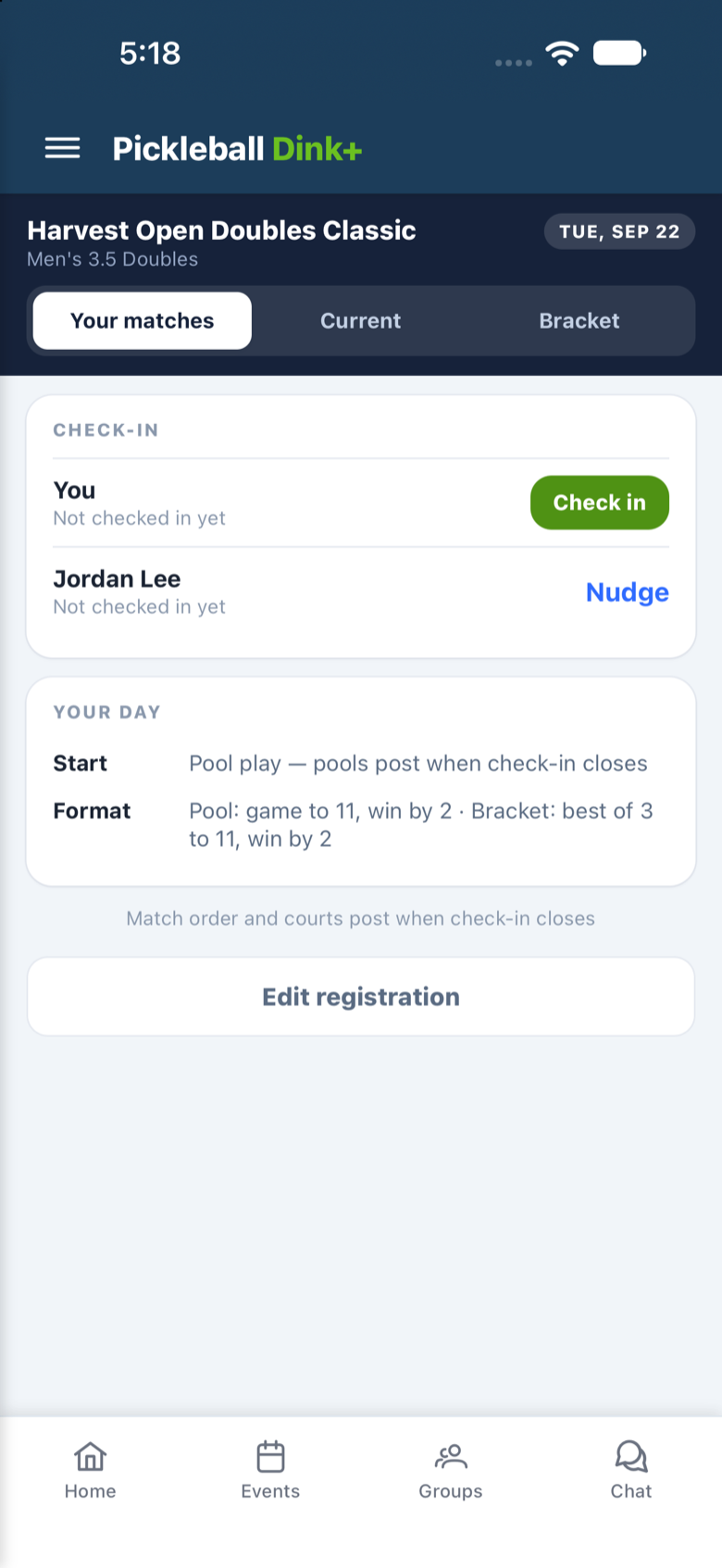
Check in from the car, nudge the partner.
On tournament day the check-in card opens on their phone. One tap checks them in, and a nudge reminds a partner who has not shown up yet.
Their whole day, one screen.
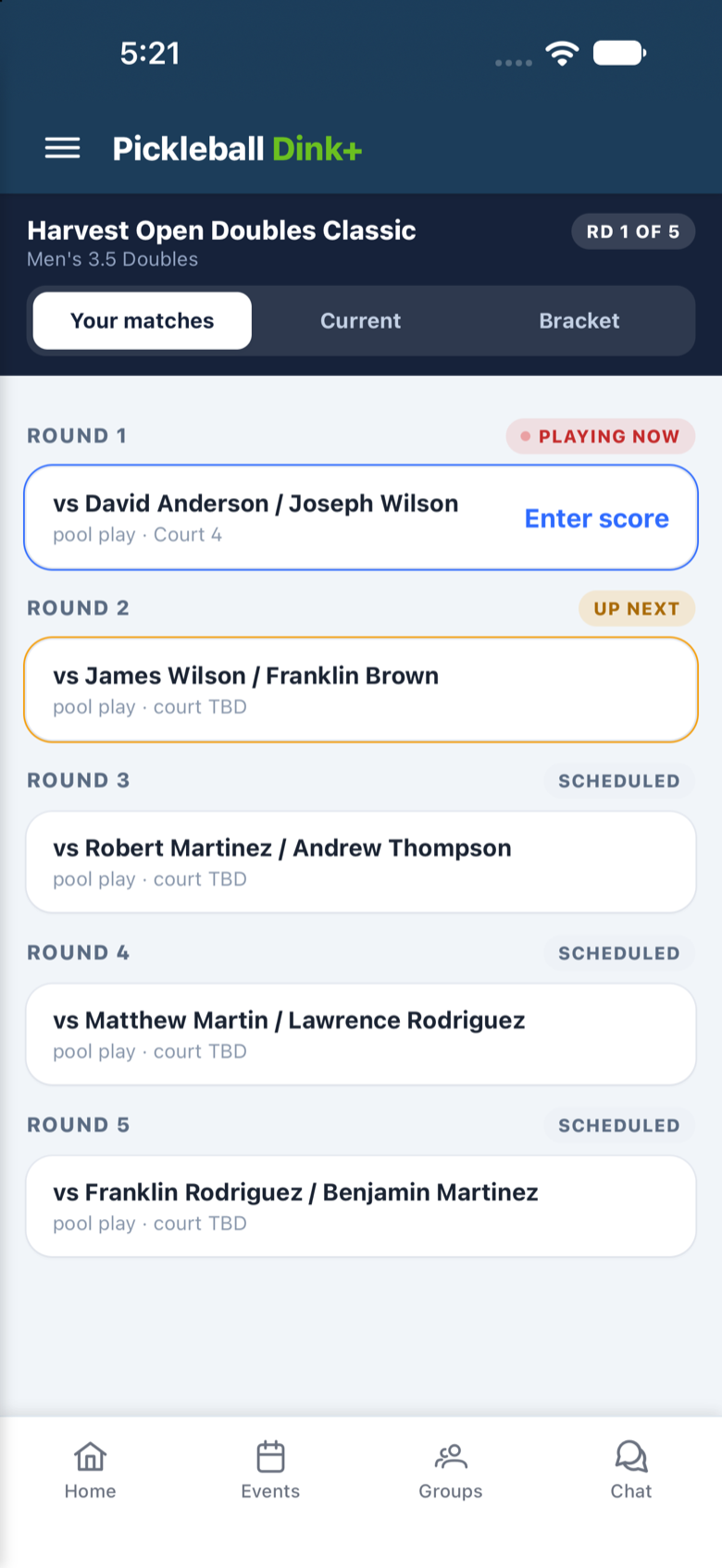
Every round they play is listed with the opponent and the court, marked Playing now, Up next or Scheduled. When the queue assigns a court, their phone knows before the whiteboard would.
Score it courtside, standings follow.
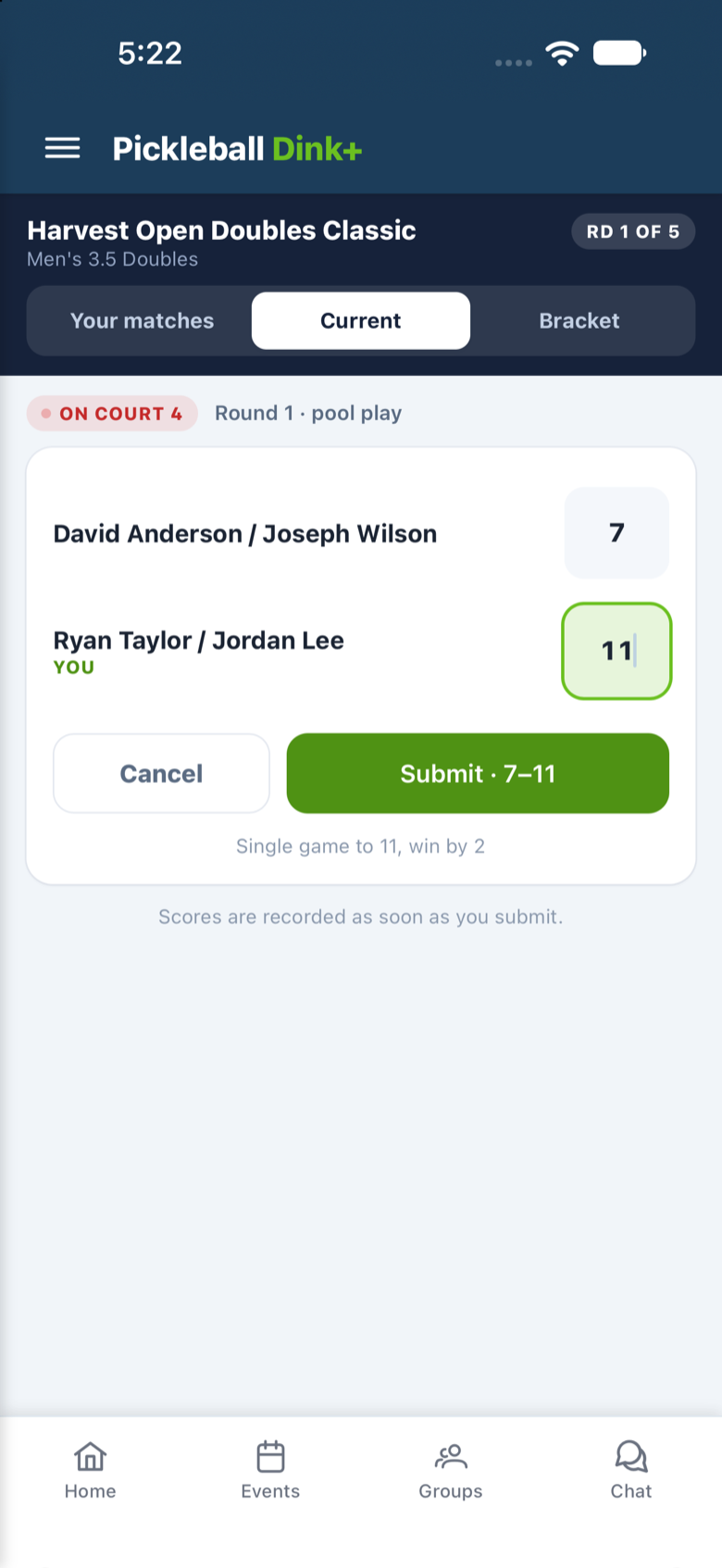
Players enter the score from the court and submit. Standings, the queue and the TV display update on their own, and the next match is already waiting on the list.
Pool won, bracket live.
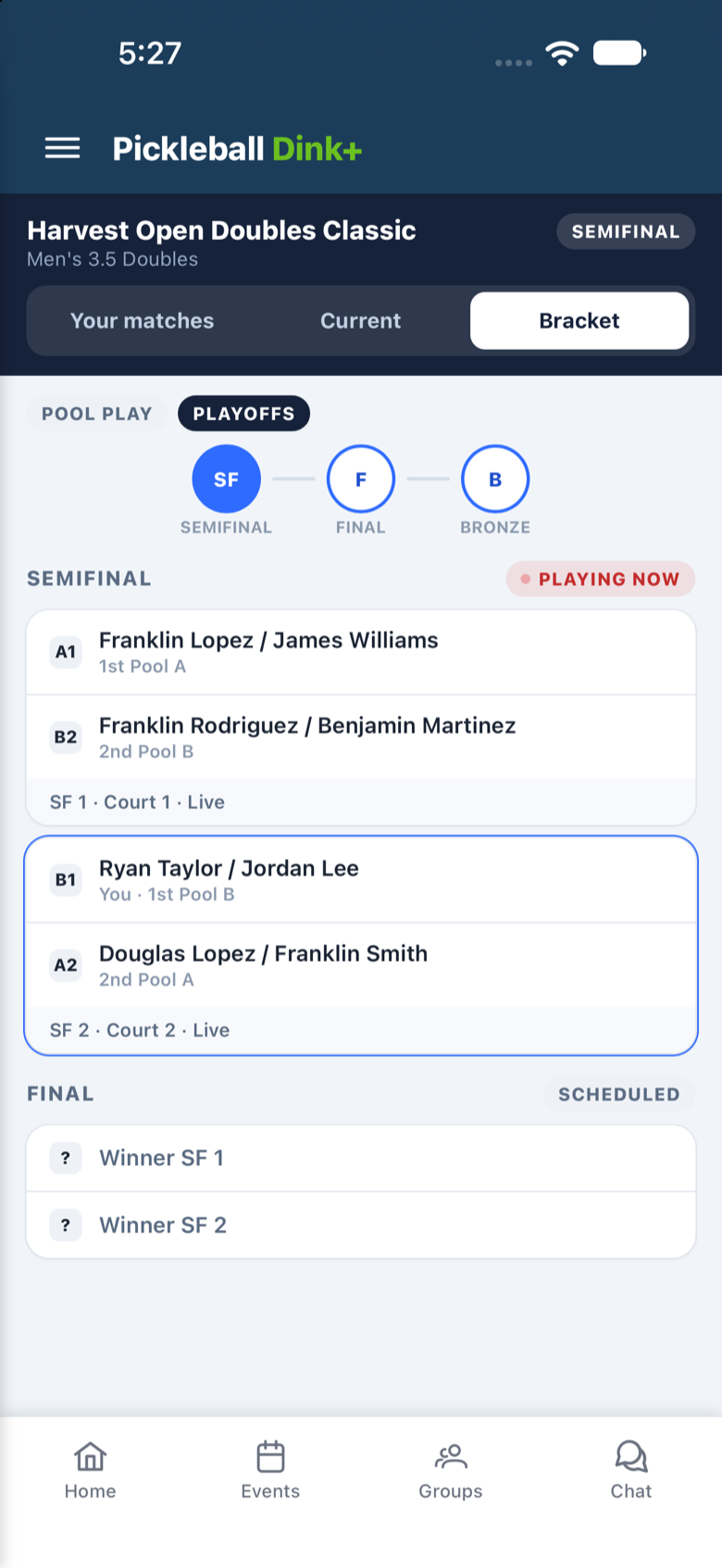
Once pools close, the playoff bracket is on their phone with seeds, courts and who is live, so nobody has to ask the desk when the semifinal starts.
Ready to run tournament day?
Tell us about your facility and we will get you set up on the Facility tier.