Open play that runs itself,
not the rack.
Dink+ Paddle Rack fills your courts without a real paddle rack. Players scan a QR code to join, set up a paddle once, and the rotation puts them on court automatically, with a live display for the room and a spot they can check from their phone.
See a busy night run itself.
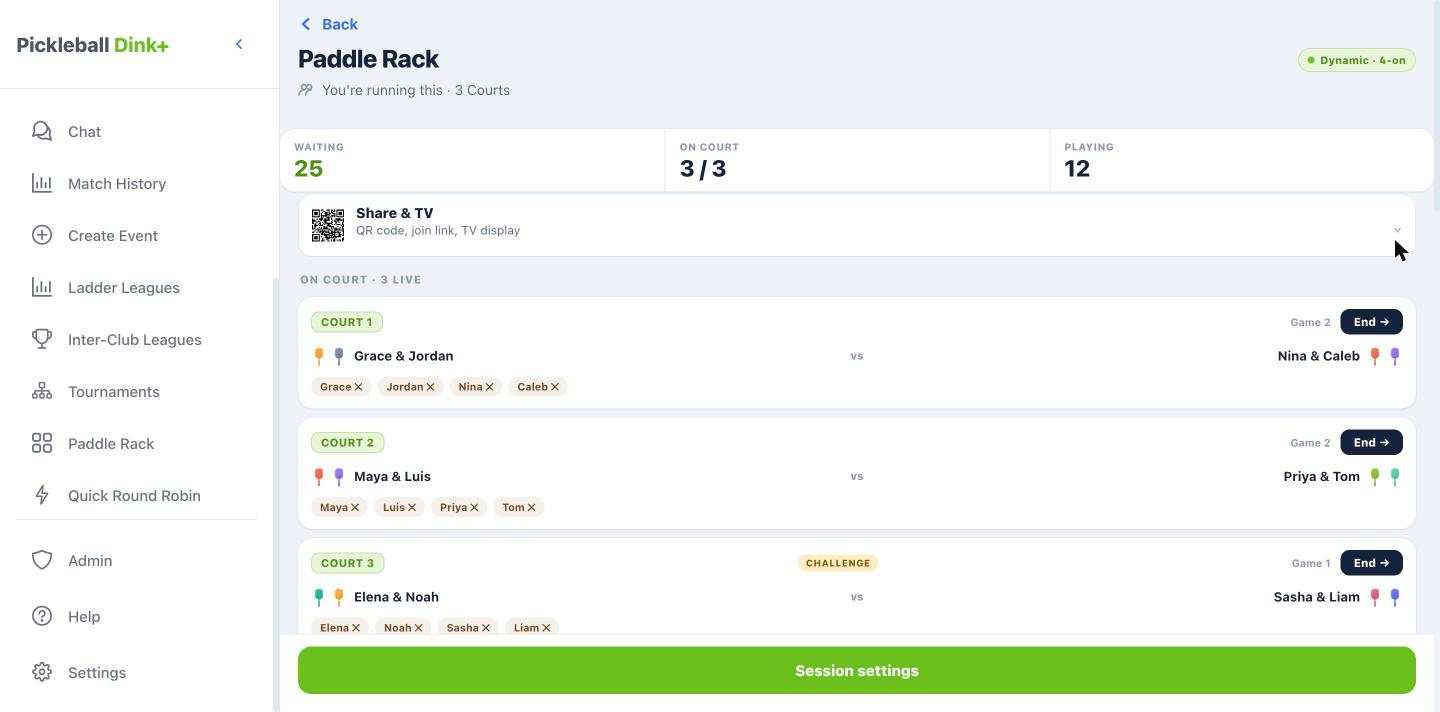
Set up your courts once, players scan in from their phone, games end with a tap from any phone, and the courtside TV shows every queue who's next.
Pick the setup, launch in a tap.
Launch a saved session, courts, rotation mode and a challenge court all set ahead of time, and share it with the room. Open the Share & TV panel for the join QR code, the join link, or to put the display up on the TV.
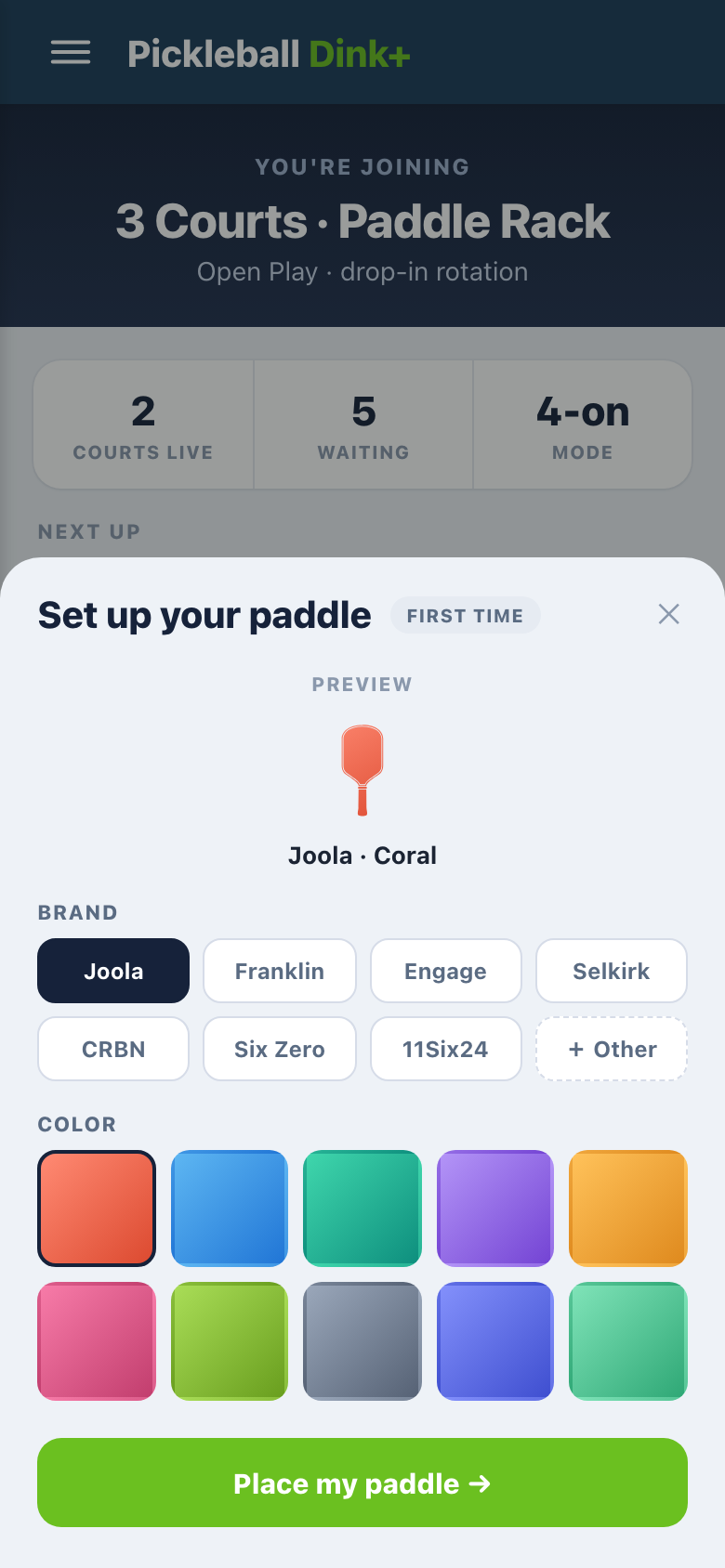
Scan, set a paddle, you're in.
Players scan the QR code and join, no account needed. The first time, they set up their paddle, brand and color, so they are easy to spot on the courts and in the rack from then on.
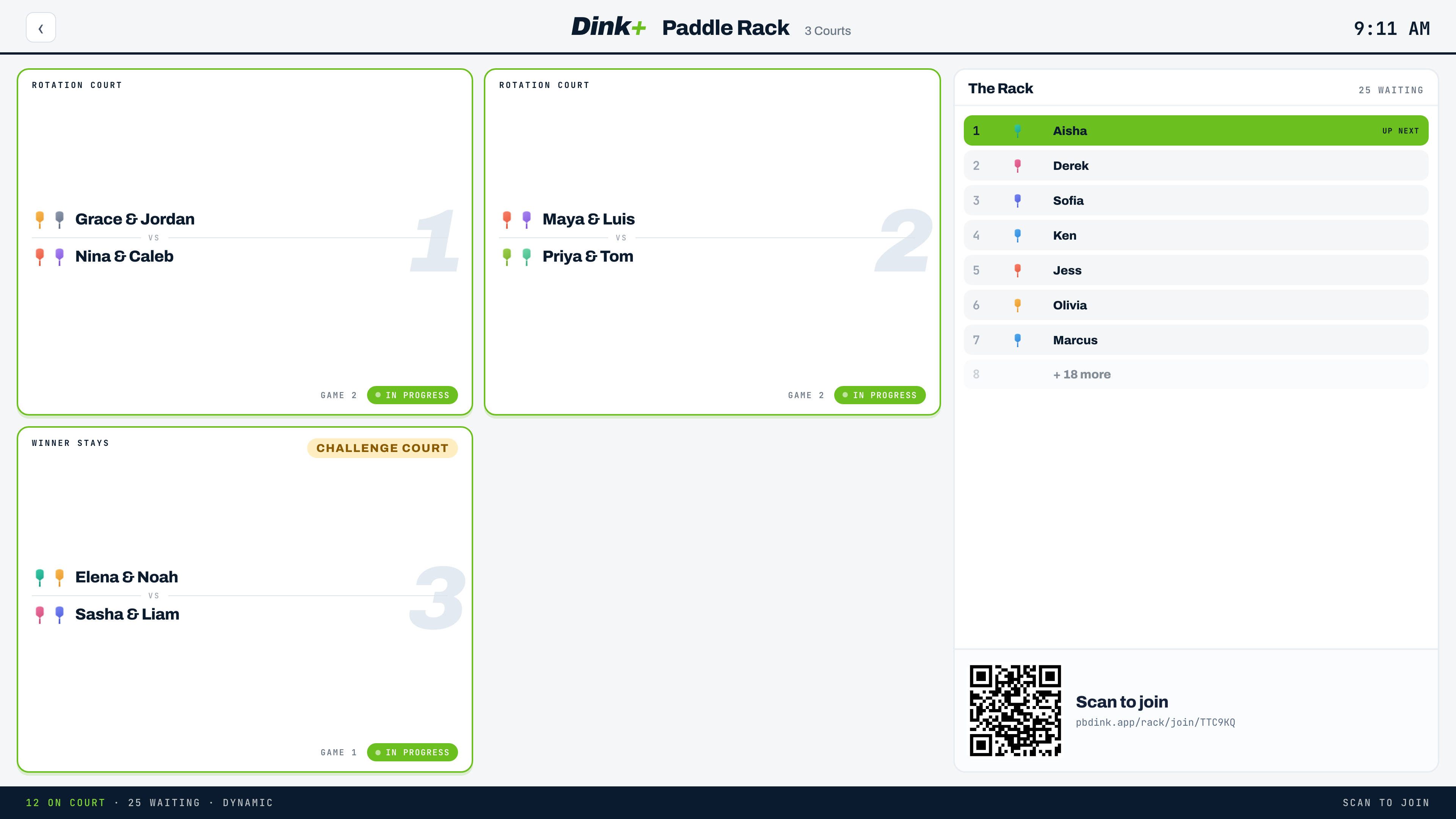
The rotation runs, the room can see it.
The TV display shows every court, who is on and who is up next in the rack, plus the QR code for anyone still joining. The challenge court keeps its winner on to face the next challenger.
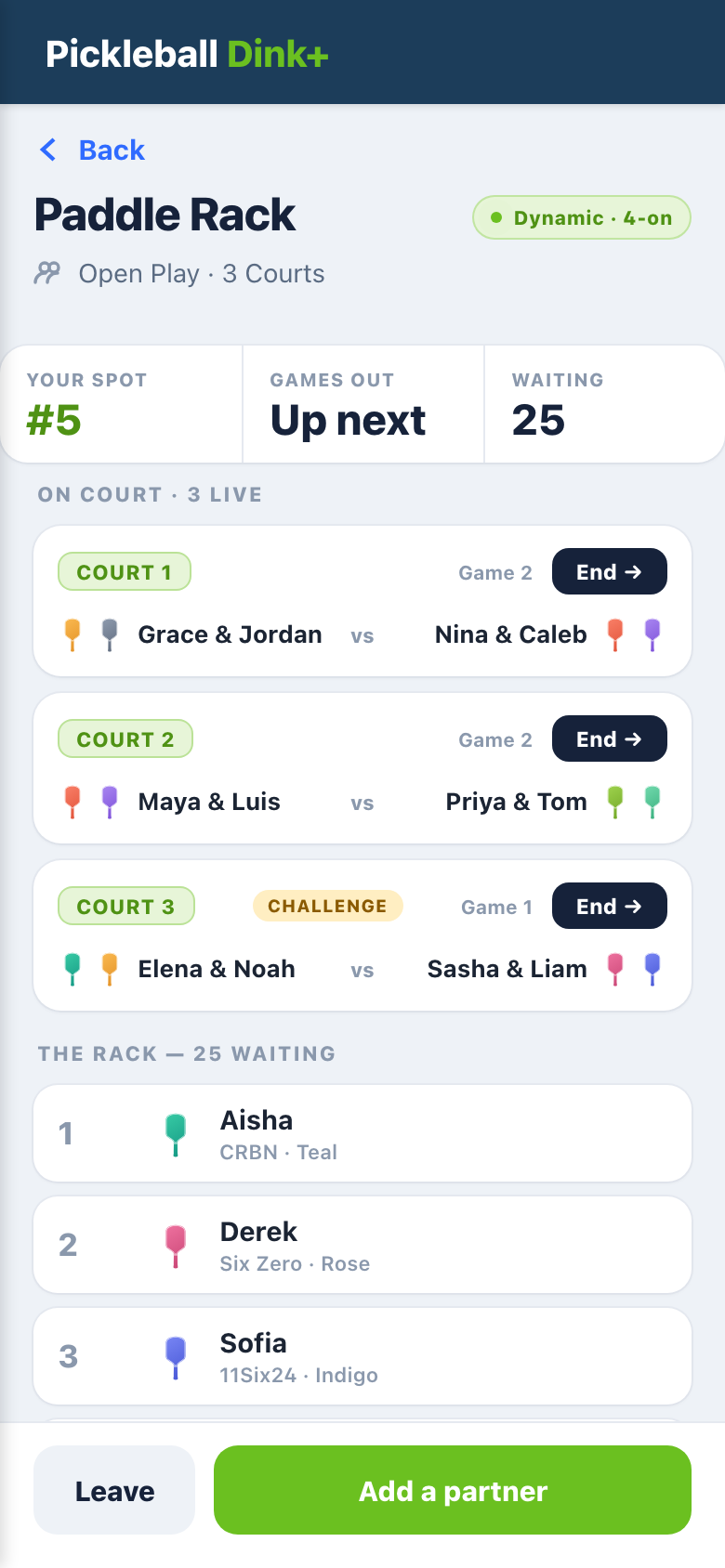
Your spot, right on your phone.
Players see their spot in the rack, when they are up next, and every court that is live. They can add a partner to queue as a pair, or leave the rack when they are done.
A system, not a widget.
A queue on one screen is easy. Running a busy open-play night across phones, the front desk and a TV takes more. Paddle Rack is part of the Facility tier, alongside tournaments, ladder leagues and inter-club leagues.
Every screen, live
Players' phones, the organizer's console and the courtside TV stay in sync. End a game anywhere and every screen moves.
A queue for every court group
Beginner courts share one queue, intermediate gets its own, and challenge courts keep winners on. Save the setup and reuse it every week.
Built for the room
The TV shows each queue's next group, calls them to their court, and keeps a game clock on every court, so you can see which games are running long.
No account to join
Turn on guest join and players scan in with just a name, or you add them by hand. They can opt in to a text when they're up.
Ready to run open play?
Tell us about your facility and we will get you set up on the Facility tier.