A season that runs itself
week after week.
Dink+ runs a ladder league from check-in to the season standings. Players check in and play rounds on assigned courts, Dink+ moves them up or down between courts on their record, and the standings build week over week.
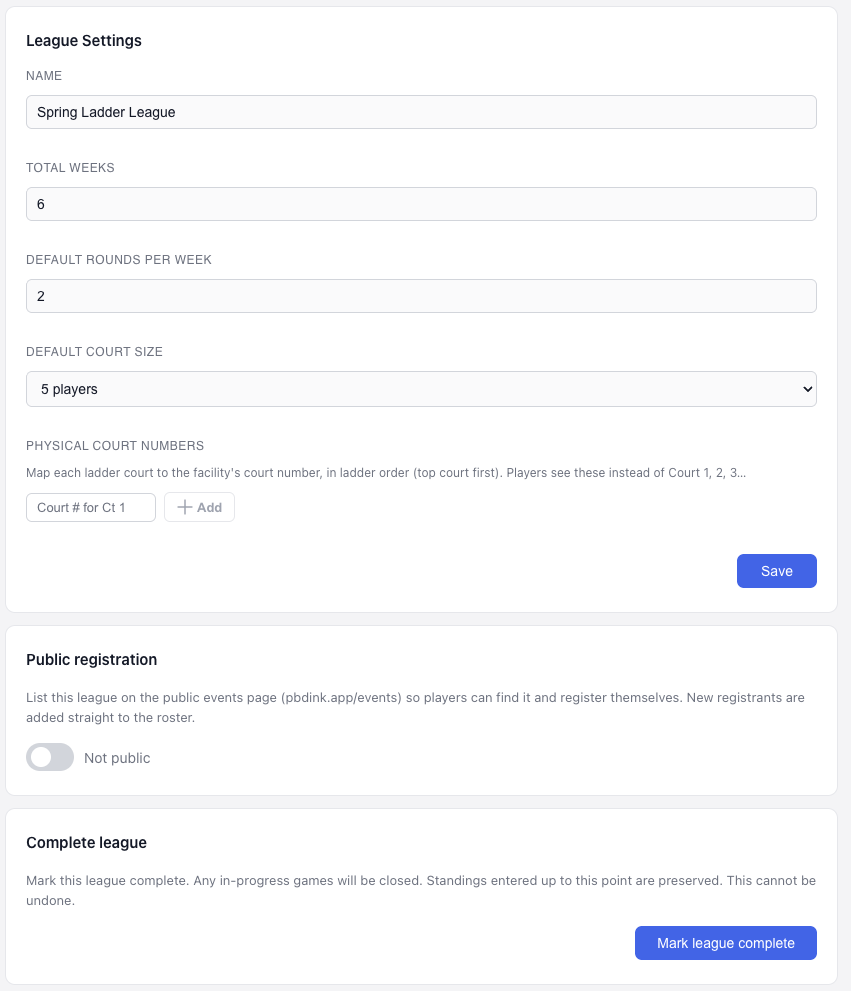
Configure once, run every week.
Set the total weeks, a default number of rounds per week and default court size, then map each ladder court to the facility's real court number so players see the right court, not just Court 1 or 2. List the league on the public events page so players can find it and register themselves straight onto the roster.
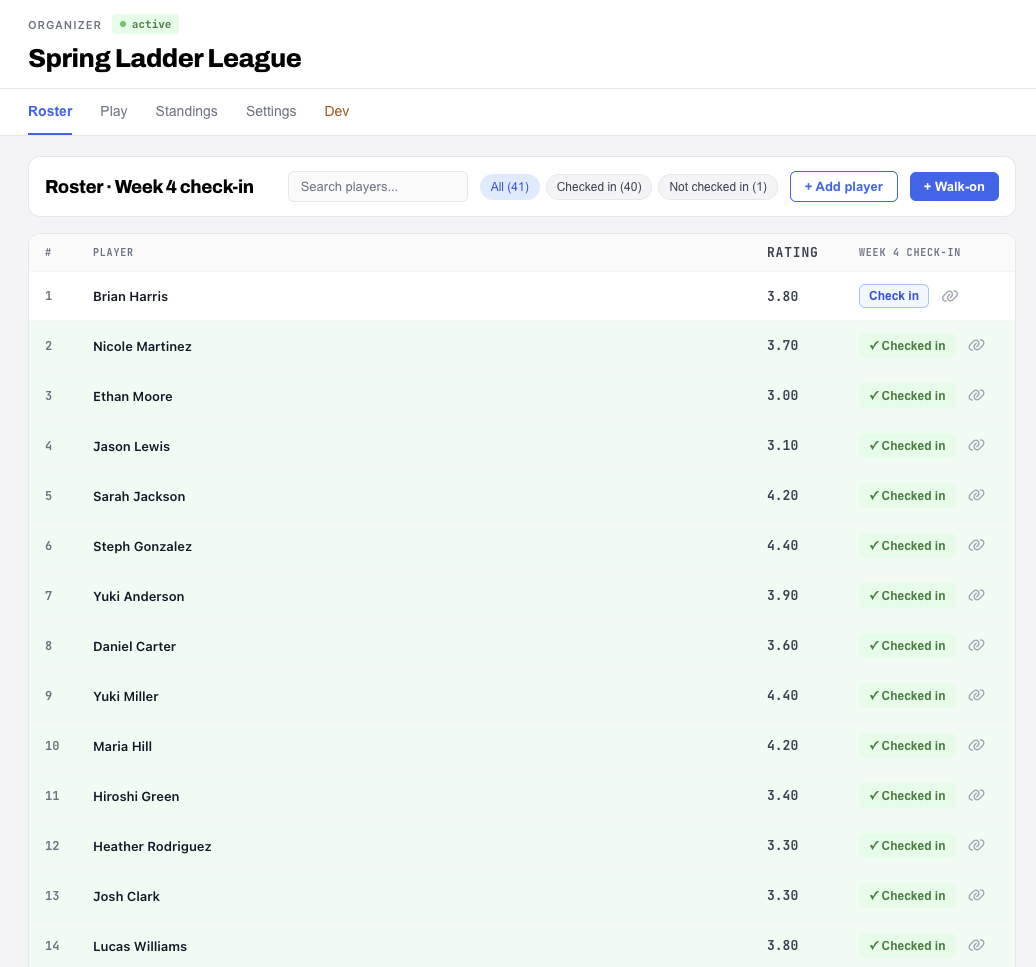
Walk-ons welcome, the roster keeps up.
Check players in week by week, with skill ratings shown for every name. Add a player or take a walk-on right from the roster, no re-registration required.
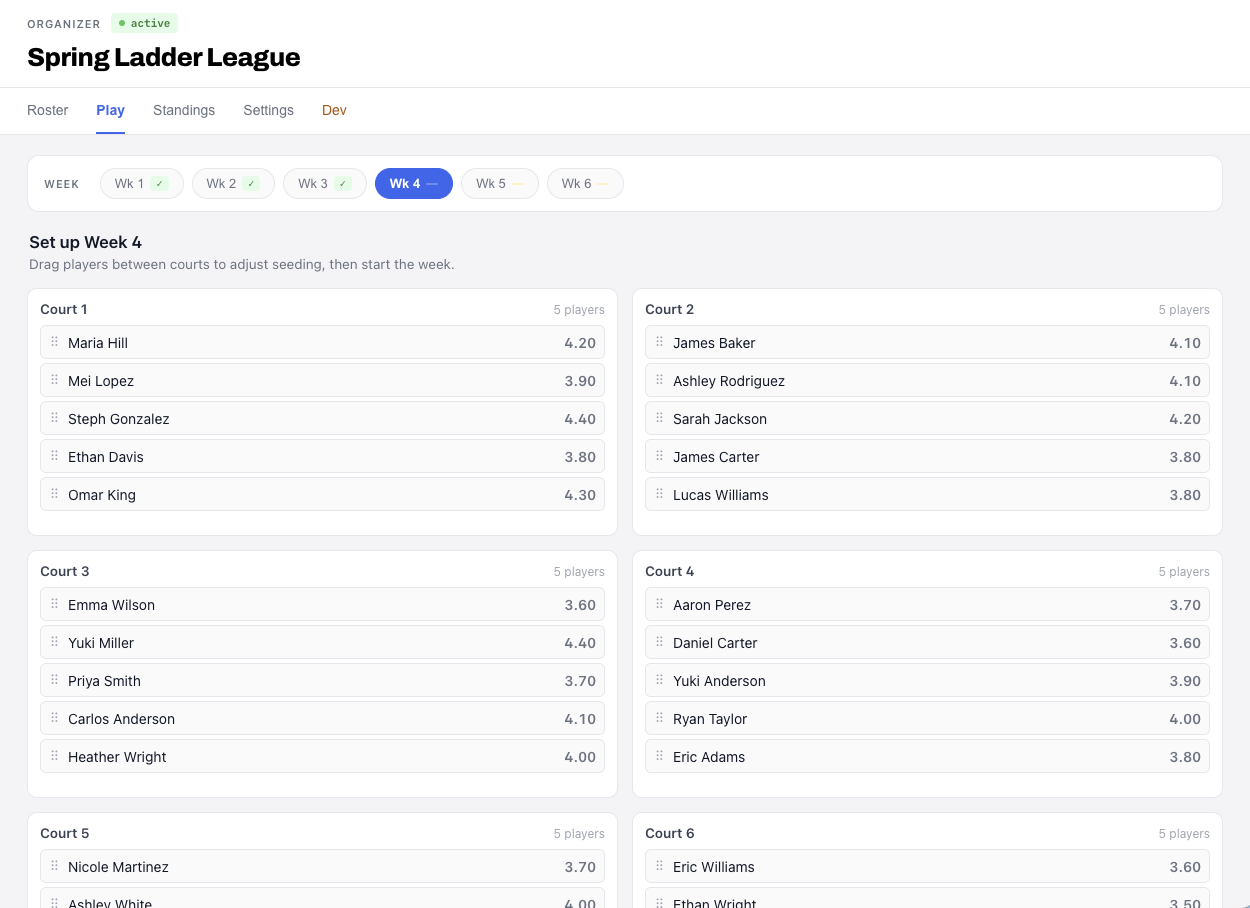
Drag to seed, then start the week.
Before a week begins, drag players between courts to adjust the seeding, six courts of five players at a time. The week selector shows completed weeks at a glance, so the organizer always knows which week is up next.
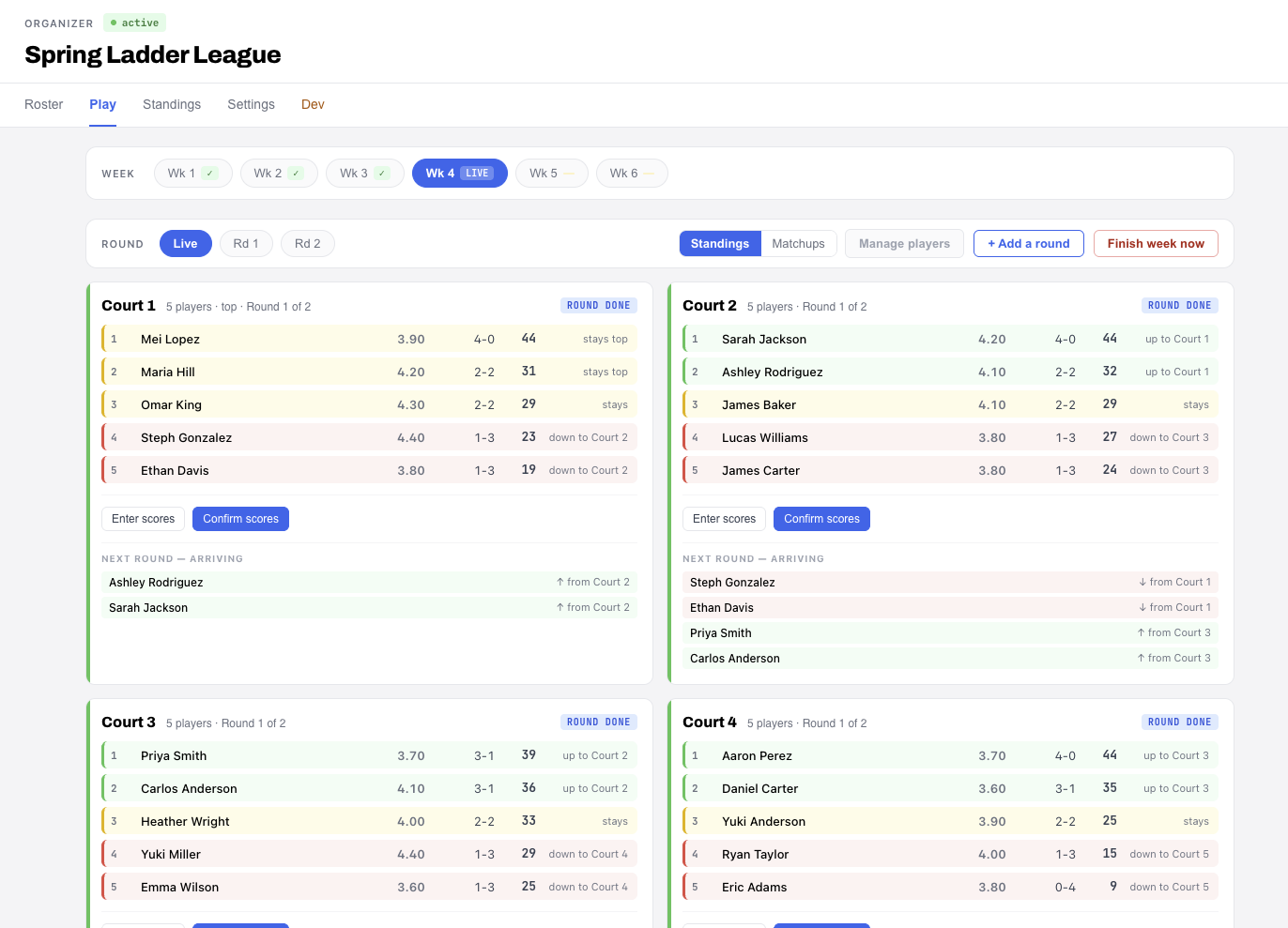
Win your court, move up next round.
When a round ends, Dink+ moves players up or down between courts on their record, and shows who is arriving on each court next round before you confirm scores.
Standings that, add up every week.
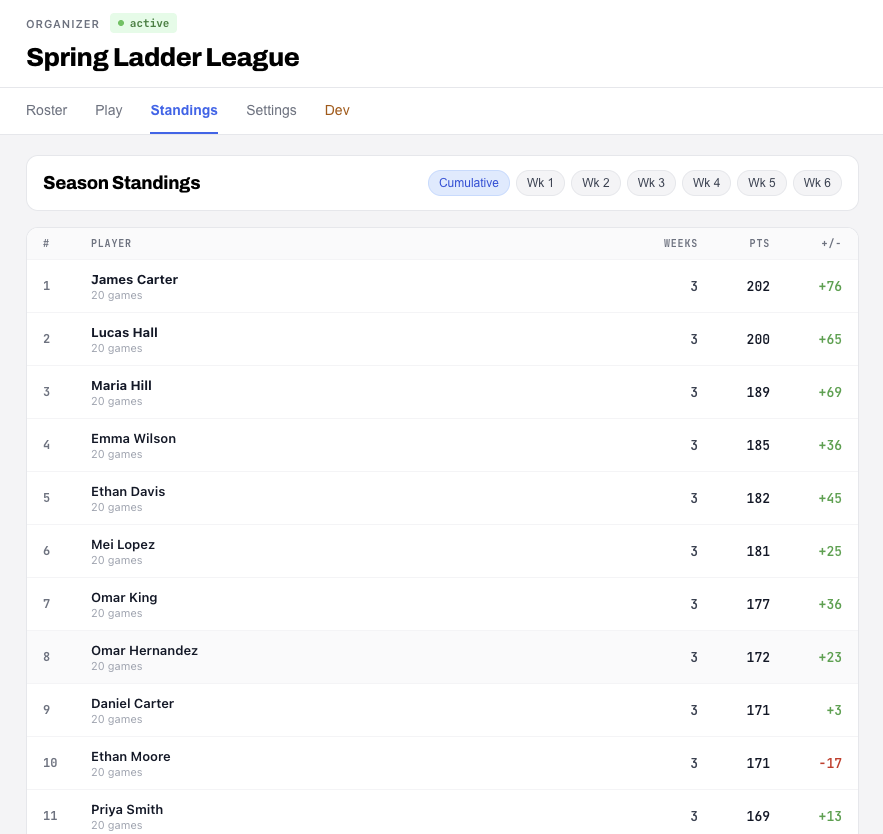
Season standings track games played, weeks attended, points and point differential, with a cumulative view and a toggle for any single week of the six-week season.
Players enter scores, right from their court.
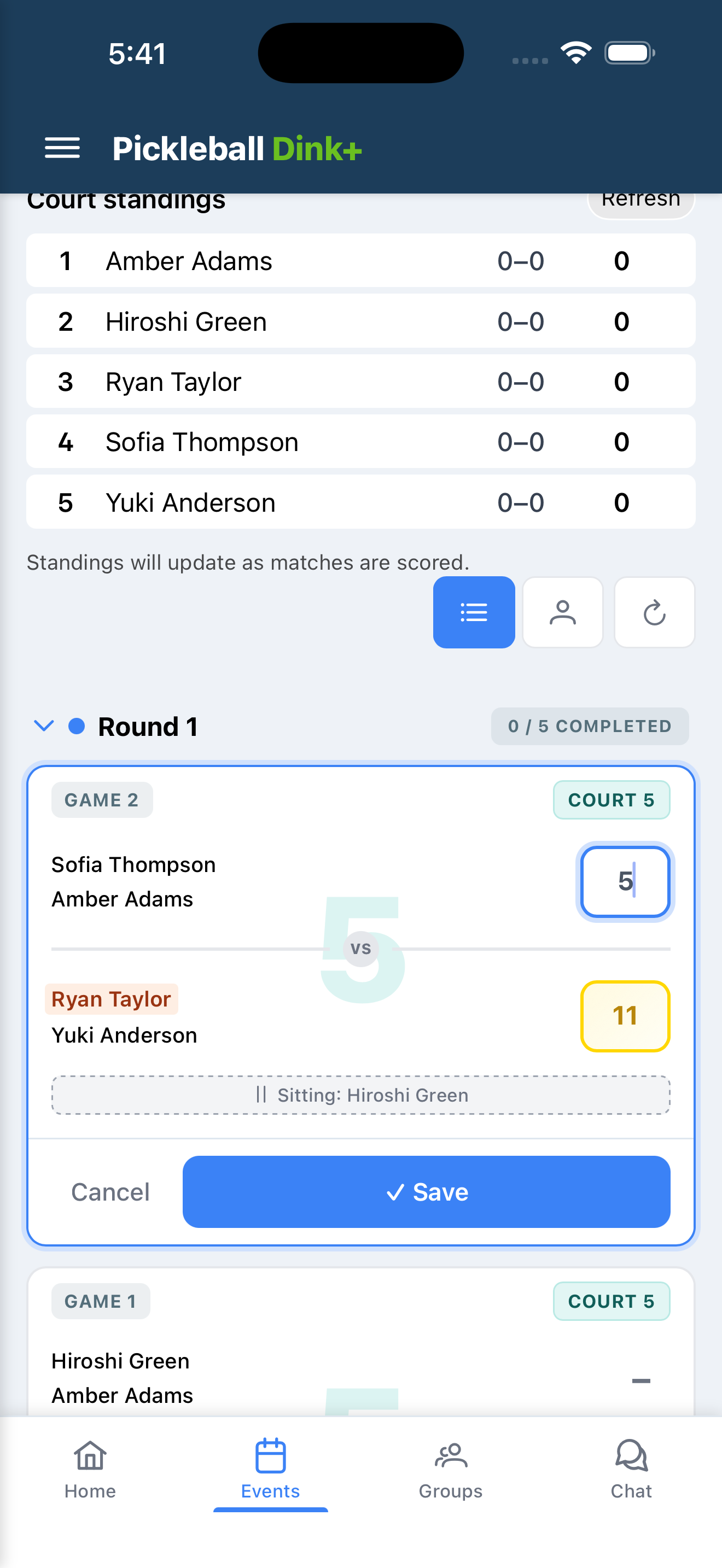
Players open their round on their phone, see who is sitting out, and enter the score for their own game without waiting on the desk.
Ready to run a ladder league?
Tell us about your facility and we will get you set up on the Facility tier.